

1
Start a new Facebook widget
On your dashboard, click Create a new widget and open the Facebook tab. Select a layout: Grid, Board, Slideshow, Scrolling or Feed. If this is your first widget, click Choose A Service and select Facebook instead.
2
Connect your Facebook account
Click Connect next to Username. Log in with the Facebook account that manages the page. When Facebook asks which pages SnapWidget can use, select your page.
3
Select the page
Set Source to Page. Then select your page in the Page list.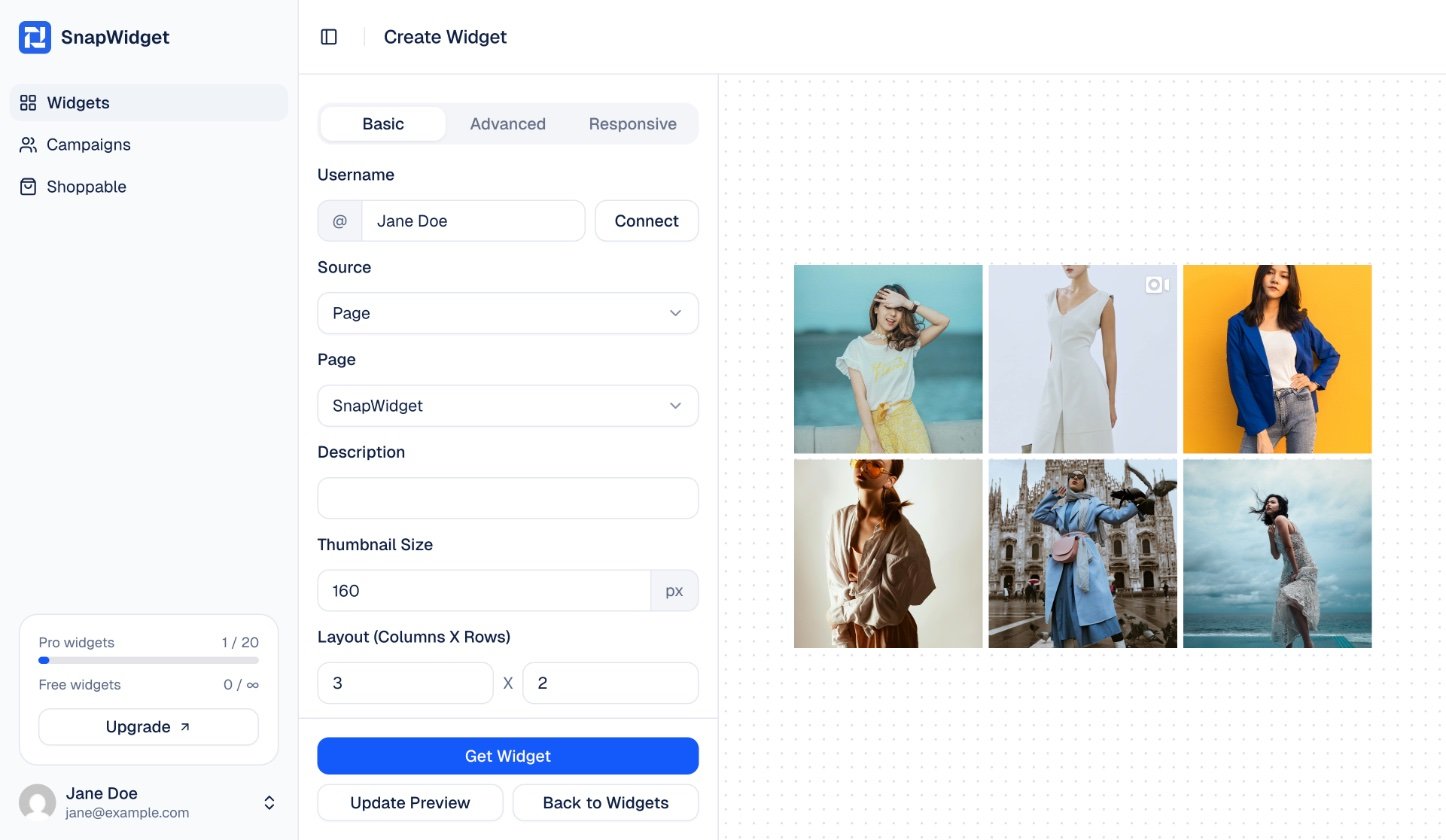
4
Set up your widget
Change the settings on the Basic tab. Click Update Preview to see your changes.
5
Get your code
Click Get Widget. In the You’re One Step Away window, click Copy To Clipboard. Paste the code into your website.