

Add Prev/Next controls
With Prev/Next Controls, visitors can page through older posts with arrows below the widget. This setting is on Pro Grid and Board widgets for Instagram, Facebook and YouTube.1
Open your widget
On your dashboard, click the widget.
2
Turn on the controls
On the Advanced tab, set Prev/Next Controls to Yes. Click Update Preview to see the arrows.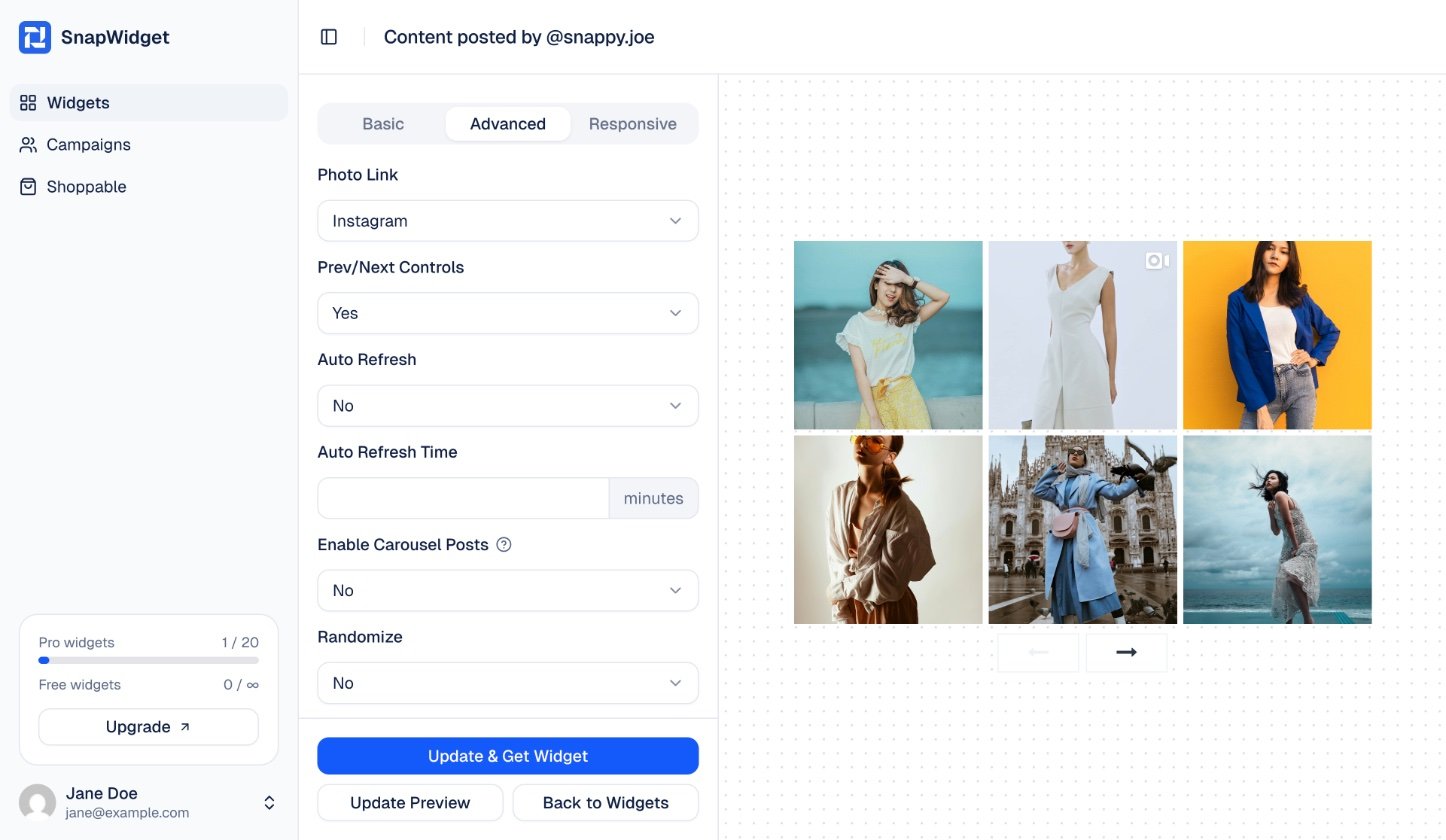
3
Update the code on your website
Click Update & Get Widget, then Copy To Clipboard. Replace the old code on your website with the new code.
When you change Layout (Columns X Rows), Thumbnail Size or Prev/Next Controls, the size of the widget in the code can change. Copy the code again and replace the old code on your website.