

In SnapWidget
- Create your widget, or open an existing widget from your dashboard.
- Click Get Widget. For an existing widget, click Update & Get Widget.
- In the You’re One Step Away window, click Copy To Clipboard.
In Pagecloud AI
- Open your site in Pagecloud AI.
- Paste your code in the chat and ask the assistant to add it where you want the widget. For example: “Add this embed code below the About section.”
- Publish your site.
In the Pagecloud classic editor
- Open the page where you want the widget.
-
In the menu on the left, click Apps. Under Generic, drag the Embed app onto the page.

-
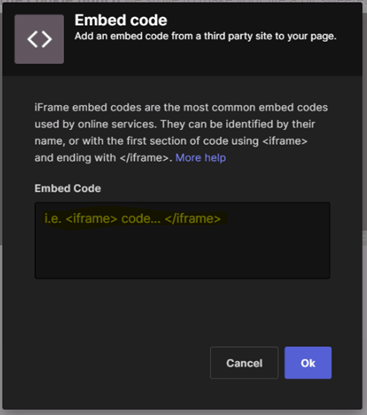
Paste your code in the Embed Code field and click Ok.
- Drag the handles of the embed until the whole widget fits.
- Click Save, then publish the page.