

On websites created after 26 June 2023, the HTML block needs a paid Webnode plan. If you do not see HTML, upgrade your plan.
In SnapWidget
- Create your widget, or open an existing widget from your dashboard.
- Click Get Widget. For an existing widget, click Update & Get Widget.
- In the You’re One Step Away window, click Copy To Clipboard.
In Webnode
- Log in to Webnode, open your project and click Edit site.
- Go to the page where you want the widget.
-
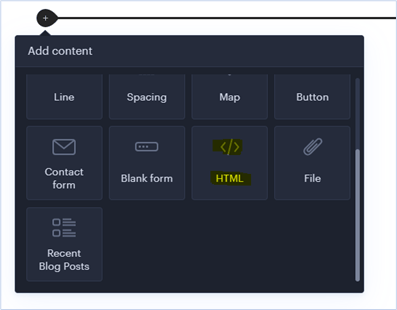
Hover over the place where the widget should go and click +. In Add content, click HTML.
-
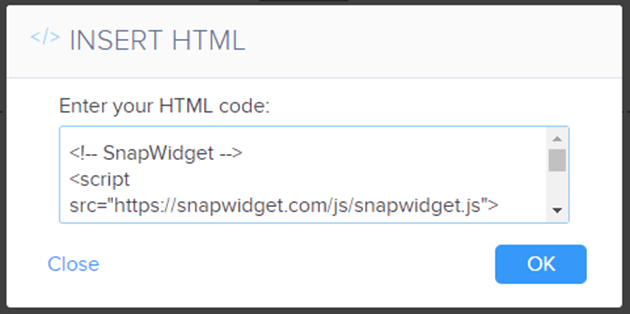
Paste your code in Enter your HTML code and click OK.
- Click Publish.