

You need the Full HTML text format. On a standard Drupal site, only administrators can use it. The Basic HTML format removes the
<iframe> tag when you save.In SnapWidget
- Create your widget, or open an existing widget from your dashboard.
- Click Get Widget. For an existing widget, click Update & Get Widget.
- In the You’re One Step Away window, click Copy To Clipboard.
In Drupal
-
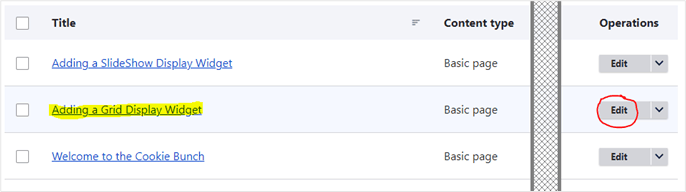
In the admin toolbar, click Content. Find the page and click Edit.
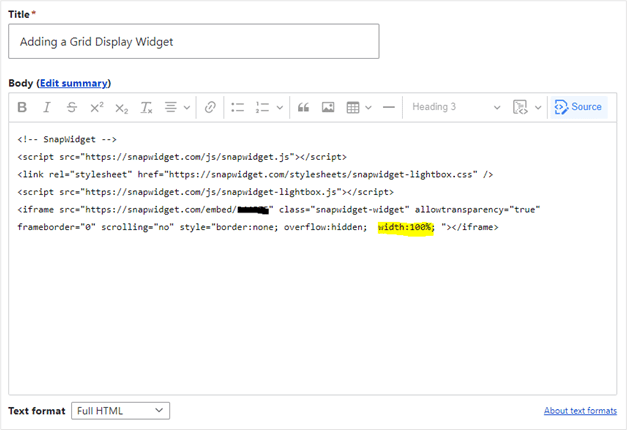
- Under the body field, set Text format to Full HTML.
- In the editor toolbar, click Source.
-
Paste your code where you want the widget to show.
-
Click Save while the editor is still in Source mode. If you click Source again before you save, the editor can remove the
<script>line.